Case study
Kelly
Kelly turns a photo of a work schedule into a personal calendar. You choose your row, check the dates and times, and confirm what to save. I'm building the Android and iOS app with an offline calendar, local reminders, account backup, and hours and pay estimates. Test builds run on both platforms. Development continues, and the website's waitlist is open.
- Type
- Mobile app · iOS and Android
- Role
- Product design and engineering
- Built
- October 2026 to present
- Client
- Personal product
Stack
React Native · Expo · Expo Router · TypeScript · SQLite · Expo Notifications · Expo SecureStore · Supabase · Claude · RevenueCat · Swift · Jest · Maestro
A photo is not a personal calendar
A work schedule arrives in a group chat as a photo. You find your name, work out the shift codes, and keep checking the same image to remember when you're due in. When a replacement arrives, you have to work out what changed.
Kelly starts with that photo and ends with your own confirmed shifts. It is a personal companion to the workplace schedule. The employer still owns the official roster, and the person using Kelly decides what goes into their calendar.


Read, review, then save
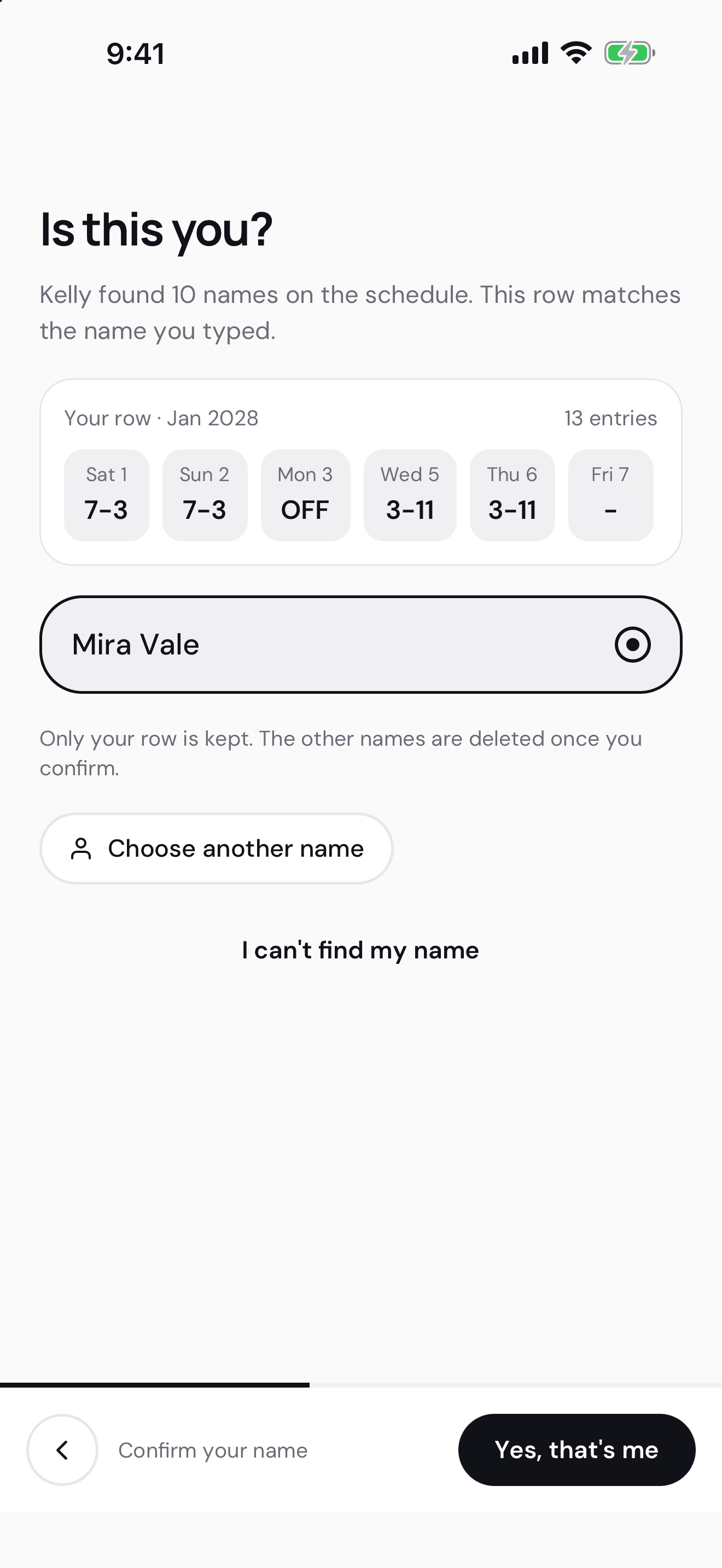
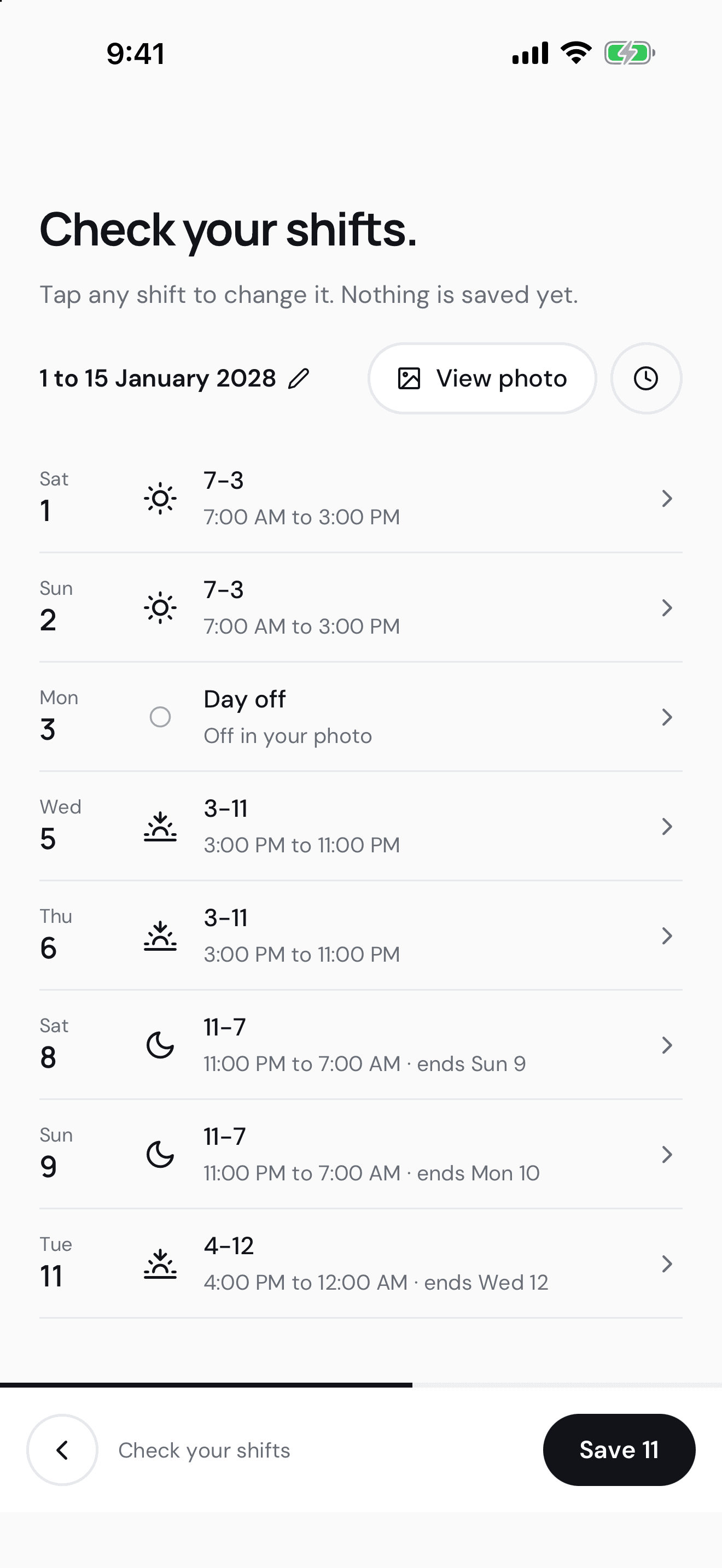
You add a schedule photo, confirm which printed name is yours, and review the proposed shifts. The original photo stays within reach while you correct a date, map an unfamiliar code, or check an overnight end time. Uncertain readings stay unresolved until you check them.
The app never saves the model's answer straight into the calendar. Shared TypeScript contracts and validation turn the reading into candidates. Only reviewed shifts reach the local database. A revised schedule has its own comparison flow so a replacement photo does not silently overwrite manual changes.
The calendar lives on the phone
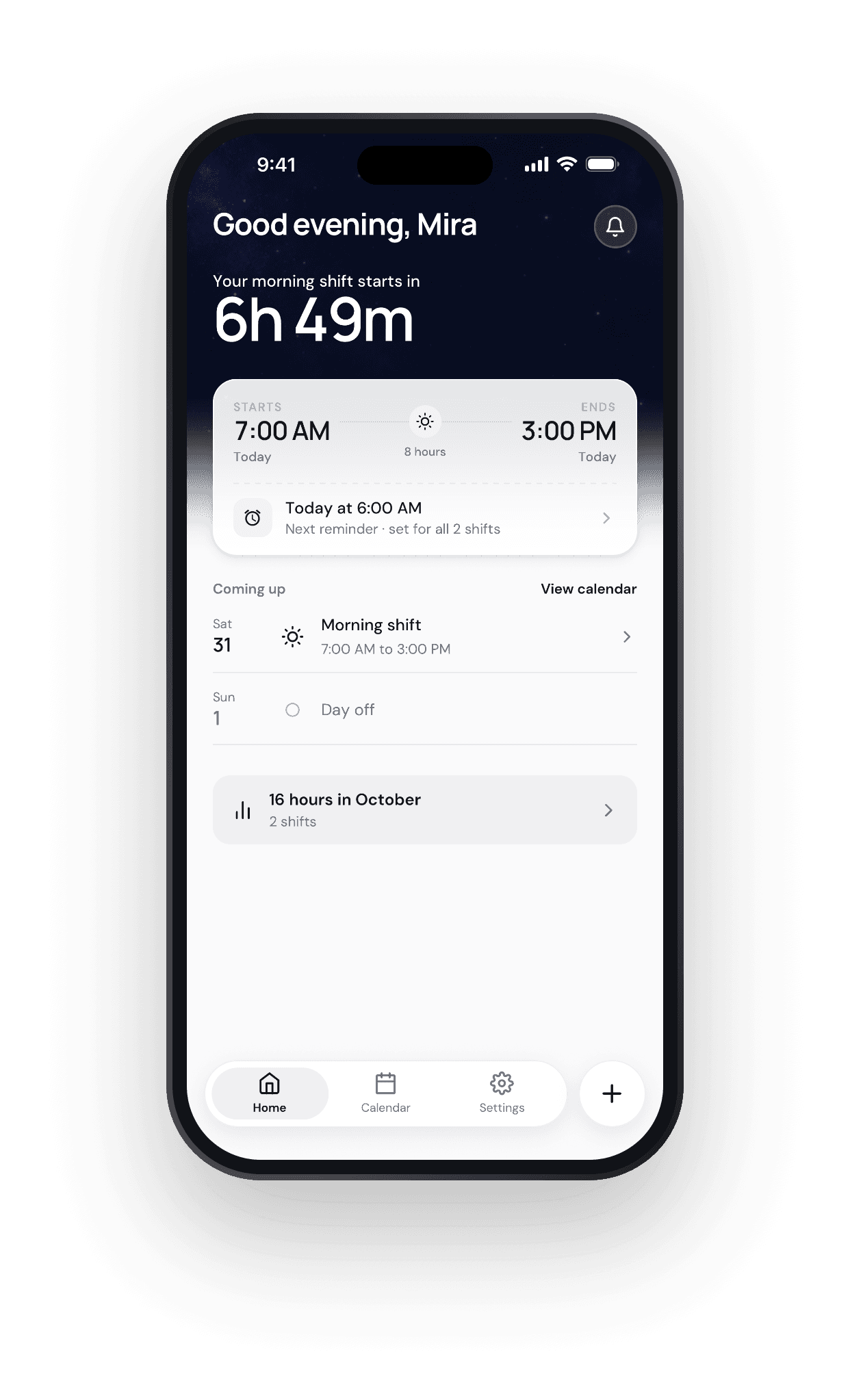
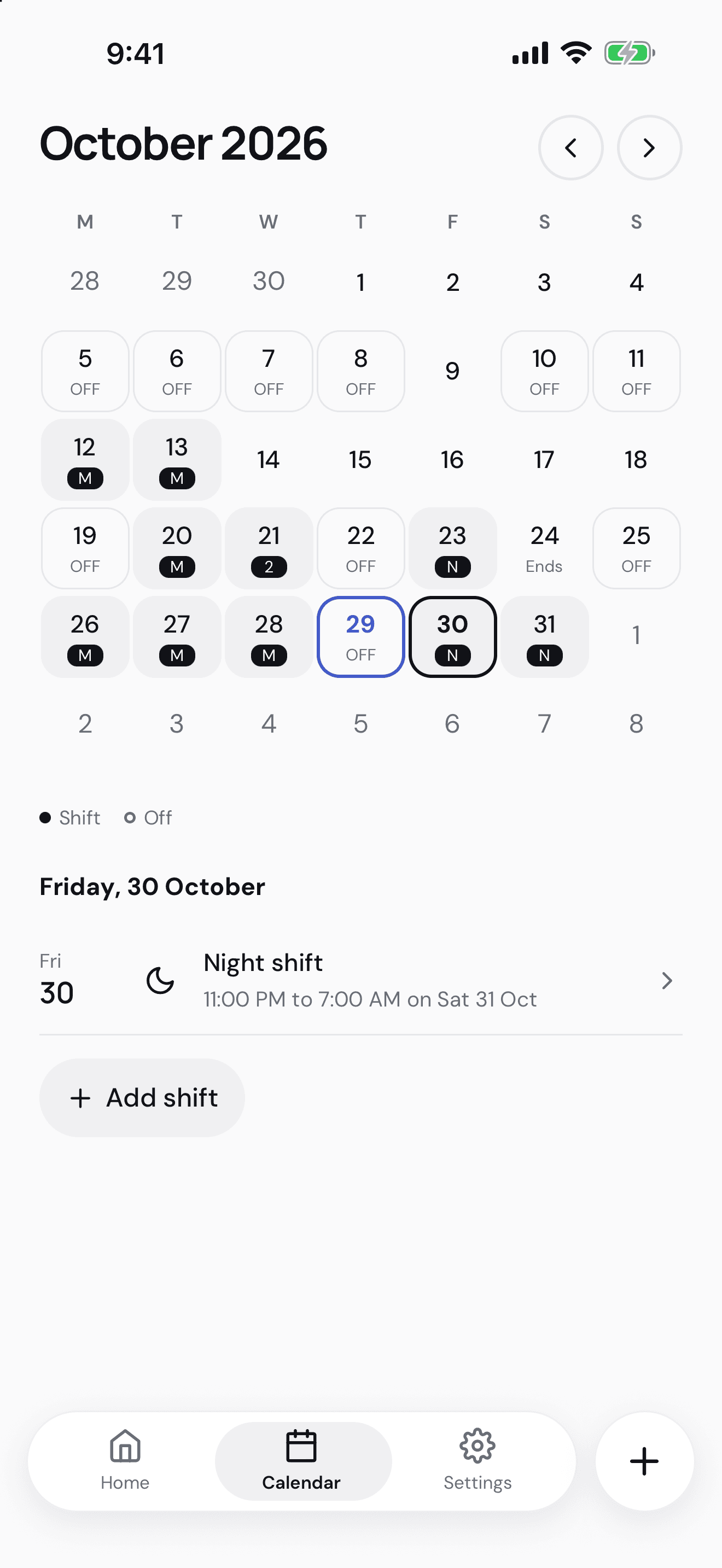
Confirmed shifts live in SQLite. Home answers the immediate question, when is my next shift, while Calendar shows the month and the selected day's duties. You can add, edit, or remove a shift manually, record a day off, and keep more than one shift on a date.
The time rules preserve the workplace's named time zone, the local calendar date, and the exact start and end instants. An overnight duty carries its end date explicitly. That matters when a phone changes time zones or a shift crosses a daylight-saving change.
Photo processing needs a connection. Reading and editing a saved calendar does not. Those paths stay separate so a failed server request cannot prevent routine calendar use.
Reminders need more than a permission prompt
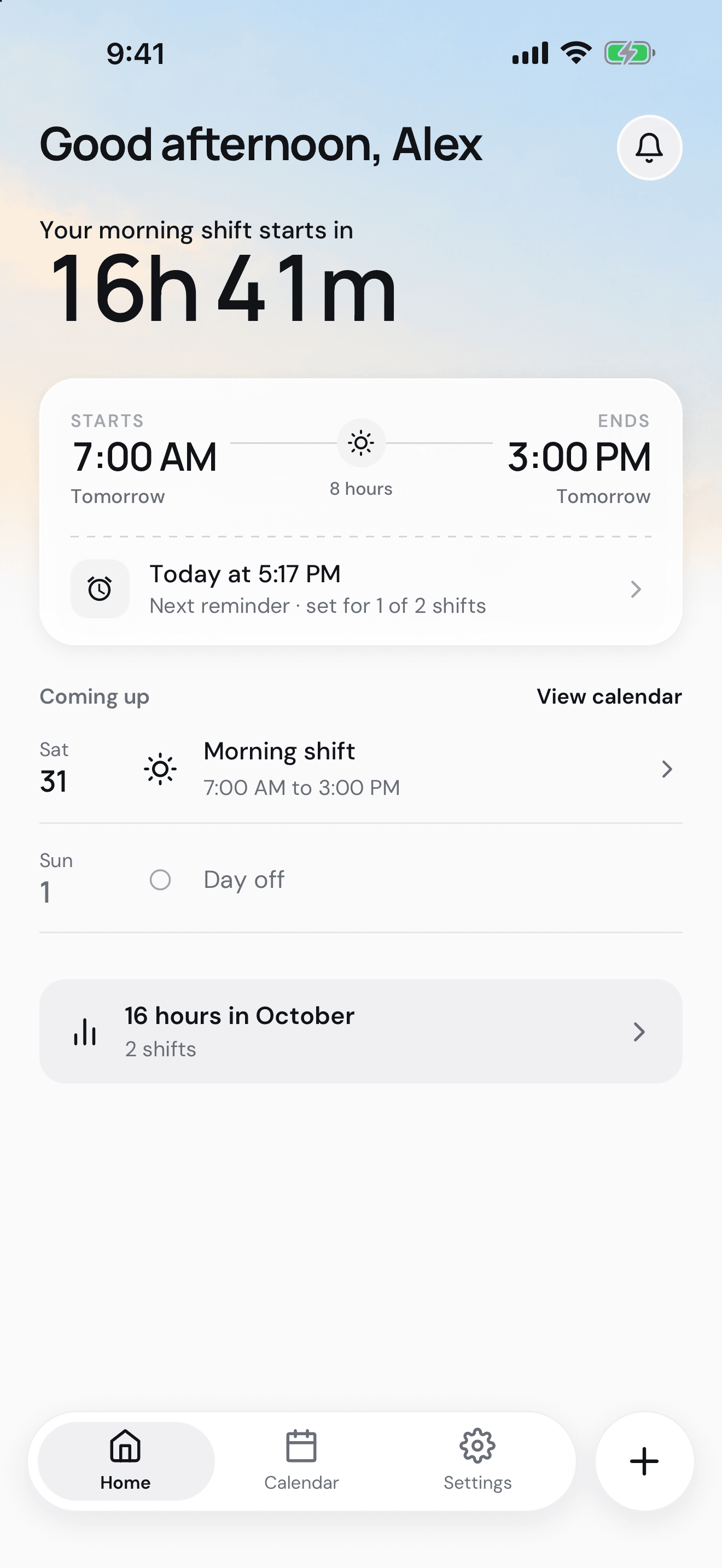
Saving a shift also records the reminder work that needs to happen. A persistent outbox then registers or cancels the operating system's notifications. If the app closes between those steps, it can reconcile them on the next launch instead of losing the intent.
The app distinguishes a saved reminder from one the operating system accepted. Neither is proof that an alert was delivered. Permission changes, notification limits, edits, and deleted shifts have recovery paths. Notification text also avoids putting a person's name or shift times on the lock screen.
Private processing and a recoverable save
Supabase handles identity, owned processing jobs, private uploads, and import allowance. A queued worker reads the image through a Claude adapter. Model credentials stay on the server, and database and storage policies keep each person's processing data separate.
After a name is confirmed, the backend removes the other workers' extracted rows. Source-photo and processing-data controls let the person remove those artifacts independently of their saved shifts.
A save has to survive a dropped connection too. A stored operation key, a server receipt, and a local transaction connect the reviewed import to its shifts and reminder outbox. Retrying the acknowledgement cannot save the same import twice or charge the allowance twice.
Accounts, backup, and control
The app supports Apple, Google, and email sign-in. Sessions use Expo SecureStore rather than a plaintext fallback. Confirmed shifts remain local, with account backup and an explicit restore flow for bringing a saved calendar back.
An empty calendar cannot silently replace an existing backup. If this phone already has shifts, restoration asks which set to keep. Account deletion and processing-data deletion have their own flows, including retrying remote work that could not finish immediately.
Hours, pay estimates, and Kelly Pro
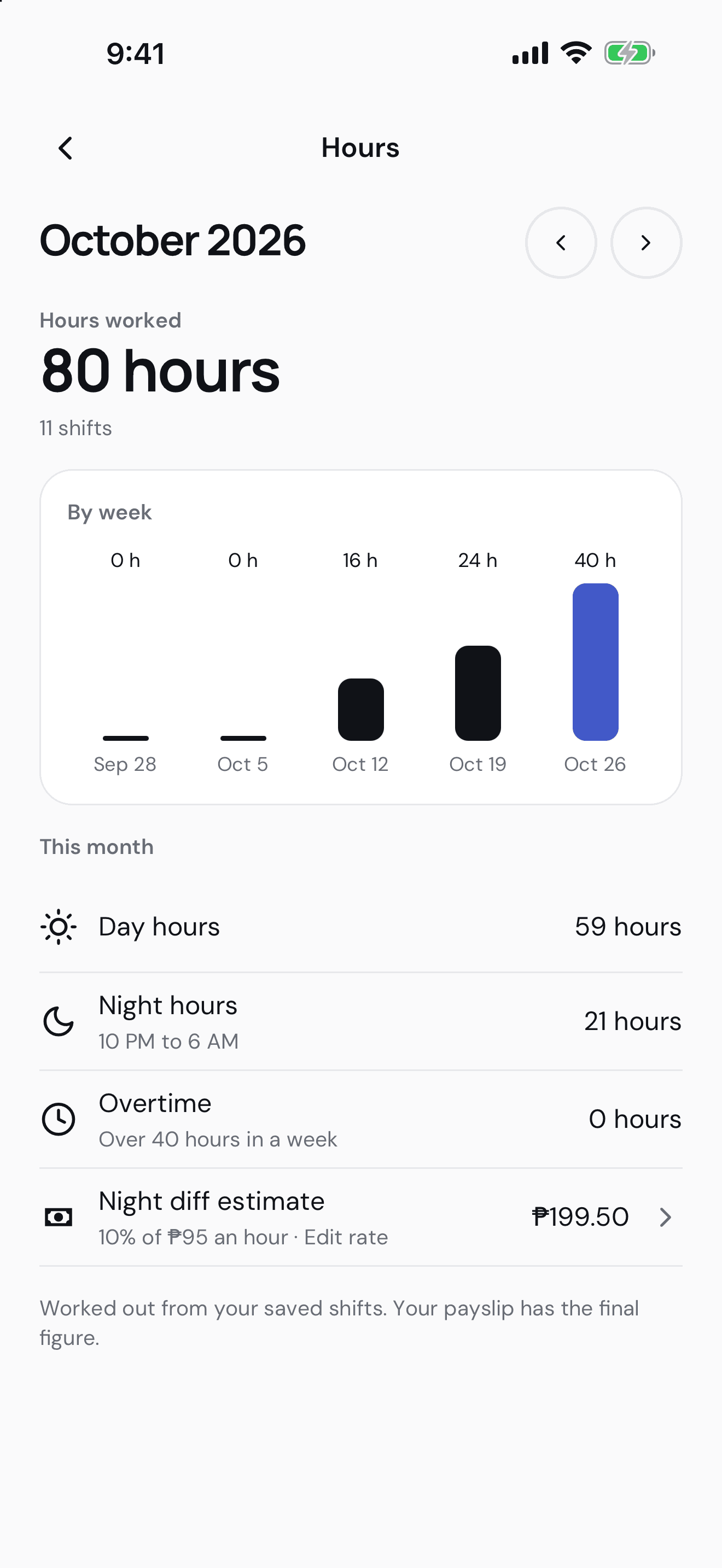
Saved shifts provide the basis for total hours and a base pay estimate. Free use includes an hourly or per-shift rate and a custom title for that page. Kelly Pro adds analysis such as night hours and night differential. These are estimates from saved shifts, not payroll calculations.
RevenueCat sits behind a purchase adapter, while the backend verifies access for paid processing. The purchase flow handles cancellation, pending verification, restoration, and expiry. Expiry does not delete the calendar or its basic reminders.
Building toward release
Kelly is in development for Android and iOS, with test builds already running on both platforms. The website at kelly.cjjutba.dev is collecting a waitlist. Its release record includes iOS TestFlight and Android test builds, with public store release and the remaining platform checks tracked separately.
The repository separates real services from deterministic development fixtures. Release checks reject fake services in a non-development bundle. Jest and React Native Testing Library cover the domain rules and screens. Maestro journeys and simulator and emulator evidence cover the native flows.
The screens here use fictional names and schedules from Kelly's existing store-image set. They show the interface, not a customer's calendar. The next checks focus on saved times, recovering changes, and reminder status on real devices.
Have a project like this? Tell me what you're working on and I'll come back with what I'd do first.